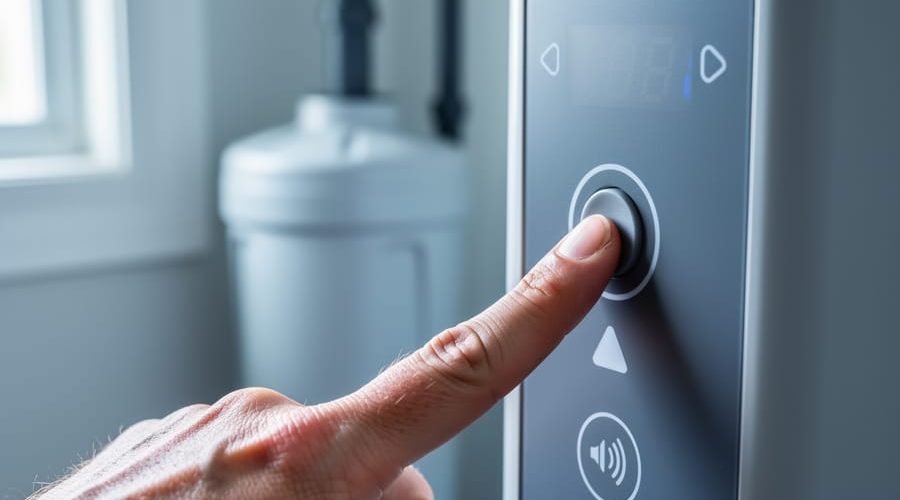
Press and hold any unresponsive button for 10-15 seconds to reset the control panel’s microprocessor, which often resolves temporary electronic glitches caused by power fluctuations or software freezes. Unplug your water softener completely for three minutes, then restore power—this hard reset clears the system’s memory and recalibrates the control board, fixing approximately 60% of button malfunctions without professional intervention.
Check for moisture or mineral buildup around the button panel by gently cleaning with a slightly damp cloth and isopropyl alcohol, as calcium deposits and humidity create invisible barriers that prevent proper contact. If buttons remain stuck or unresponsive after cleaning, the membrane pad underneath has likely degraded—a $30-50 replacement part you can install yourself in under 20 minutes by removing the faceplate screws and disconnecting the ribbon cable.
Test individual buttons systematically while observing whether the display responds to any inputs, helping you determine if the entire control board needs replacement (typically $150-250) or if only the interface membrane failed. For units older than eight years with multiple electronic failures, replacement often proves more cost-effective than repeated repairs, especially considering modern water softeners feature more intuitive touchscreen interfaces and smart monitoring capabilities that prevent future button-related frustrations while improving water treatment efficiency.
Why GE Water Softener Buttons Stop Responding
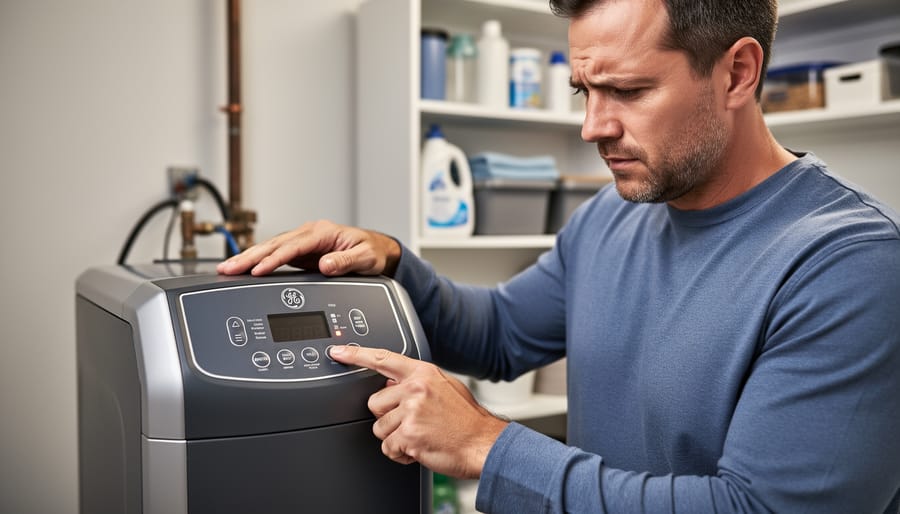
Control Panel Lockout Mode
Your GE water softener may have a control panel lockout mode designed to prevent accidental changes to your settings—particularly helpful in households with curious children or pets. This safety feature can inadvertently become the culprit when your buttons suddenly stop responding.
When lockout mode is active, you’ll typically notice a small padlock icon or “LOC” message displayed on your control screen. The buttons will feel normal to touch but won’t trigger any menu changes or programming adjustments. This is intentional—the system is doing exactly what it should by blocking input.
To identify if lockout mode is your issue, check your display panel for these indicators. If you see the lock symbol, you’ll need to deactivate it. Most GE models require you to press and hold a specific button combination, commonly the up and down arrows simultaneously, for three to five seconds. Some models use the “Set” button held for the same duration.
Consult your owner’s manual for your specific model’s unlock sequence, as it varies across GE’s product line. Once deactivated, test your buttons immediately. If they work properly, consider whether keeping lockout mode enabled makes sense for your household situation, balancing convenience with preventing unintended programming changes.
Power Supply and Electrical Issues
Power disruptions are among the most common culprits when your GE water softener buttons stop responding. Start by checking if the unit is properly plugged in and that the outlet is functioning. Try plugging another device into the same outlet to verify it’s delivering power. If you’ve recently experienced a storm or power surge, the internal circuitry may have sustained damage that prevents the control panel from operating normally.
The adapter itself can fail over time, especially in humid environments typical near water treatment equipment. Inspect the power adapter for any signs of wear, fraying, or burn marks. A multimeter can help determine if the adapter is outputting the correct voltage, though this requires basic electrical knowledge. If the adapter appears damaged or tests show incorrect voltage, replacing it is often an affordable fix that restores full functionality.
Internal electrical failures present more complex challenges. Circuit boards can deteriorate due to moisture exposure or manufacturing defects, causing buttons to become unresponsive even when power reaches the unit. These issues typically require professional diagnosis and repair. Before calling a technician, document when the problem started and any unusual sounds or display behavior you’ve noticed, as this information helps expedite the repair process and potentially reduces service costs.
Physical Damage and Moisture Intrusion
Water softener control panels face constant exposure to humid basement environments, making them vulnerable to moisture-related failures. When water droplets seep into the button housing or circuitry behind the display, they can create short circuits or corrode the delicate electronic connections that register your commands. You might notice buttons becoming sticky, unresponsive, or triggering multiple functions with a single press.
Physical wear naturally occurs over time, especially on frequently-used buttons like those controlling regeneration cycles. The rubber or plastic contacts underneath can deteriorate, crack, or lose their springiness, preventing proper electrical contact when pressed. High-traffic buttons often fail first, leaving less-used controls still functional.
Inspect your control panel for visible water stains, condensation buildup, or discoloration around the buttons. Check for cracks in the panel housing that might allow moisture entry. Even minor humidity exposure accumulates over years, gradually degrading electronic components. If you’ve recently experienced basement flooding or significant water splashes near the unit, moisture intrusion becomes the likely culprit. While some moisture damage responds to thorough drying and cleaning, extensive corrosion typically requires professional panel replacement to restore full functionality and prevent recurring issues.
Quick Troubleshooting Steps You Can Try First
Check for Control Lock Activation
GE water softeners include a control lock feature designed to prevent accidental changes to your settings, especially helpful in households with children or pets. If your buttons appear unresponsive, this safety lock may be activated. To unlock your control panel, locate the lock icon or button on your display—typically marked with a padlock symbol. Press and hold this button for approximately three seconds until you hear a beep or see the lock icon disappear from the screen. Some GE models require a specific combination: simultaneously press the up and down arrow buttons for three to five seconds. Once unlocked, test the buttons by adjusting a simple setting like viewing your current water hardness level. This eco-friendly feature protects your customized water treatment settings while conserving resources by preventing unintended regeneration cycles. If the lock releases but buttons remain non-functional, the issue likely extends beyond the control lock, requiring further investigation of the control board or membrane keypad.
Reset the Power Supply
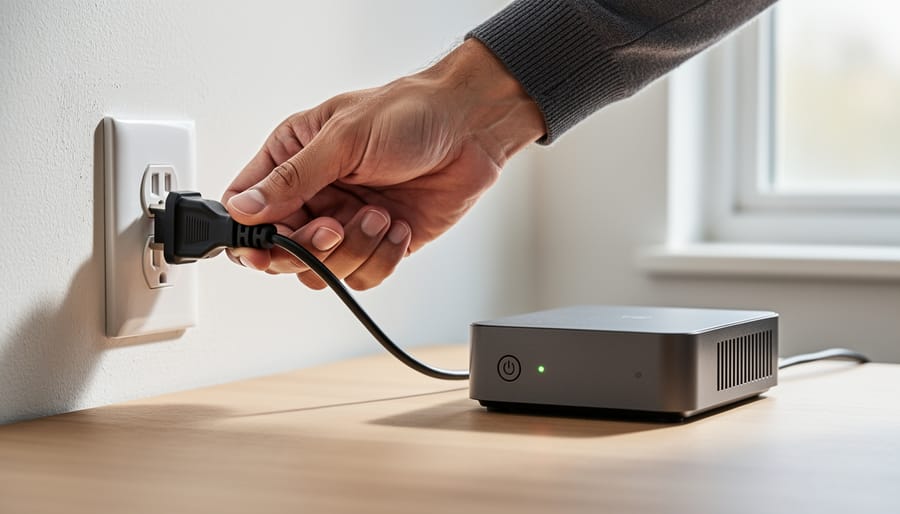
A simple power reset can often resolve unresponsive buttons by rebooting the control board, much like restarting your computer when it freezes. This process clears temporary glitches in the system’s memory and restores normal function.
Start by locating your water softener’s power source. Unplug the unit completely from the electrical outlet, or if it’s hardwired, switch off the dedicated circuit breaker at your electrical panel. This completely cuts power to the control board.
Wait a full three to five minutes before restoring power. This waiting period is essential—it allows any residual electrical charge in the system’s capacitors to fully discharge. Many homeowners rush this step, but patience here ensures a complete reset.
After waiting, plug the unit back in or flip the breaker back on. You should hear the system power up, and the display panel should illuminate. Test all buttons to see if they’re now responding properly. If the reset worked, consider programming your settings again and note any patterns that led to the malfunction, which could indicate an underlying issue worth monitoring for environmental efficiency and water conservation goals.
Inspect the Display Screen
Your display screen provides valuable clues about whether you’re dealing with simple button failure or a more serious control board problem. Start by checking if the screen shows any display at all. A completely blank screen often indicates a power issue or complete control board failure rather than just faulty buttons. If your display is illuminated and showing information like water hardness levels or regeneration cycles, this is actually good news—it means your control board is likely functioning.
Next, watch for error codes or unusual symbols. Many GE water softeners display specific codes when something goes wrong. If you see error messages, your control board is communicating properly, suggesting the buttons themselves are the culprit. Try pressing different buttons while observing the screen. If some buttons trigger screen changes while others don’t, you’ve isolated the problem to specific button contacts. A display that’s responsive but dim could indicate aging electronics, while flickering screens point toward electrical connection issues. This diagnostic step helps you avoid unnecessary control board replacement—a more expensive and complex repair—when simple button cleaning or replacement would solve your problem and keep your water treatment system running efficiently.
Clean the Control Panel Surface
Over time, your GE water softener’s control panel can accumulate mineral deposits from hard water splashes, household dust, or residue from cleaning products. These buildups create an invisible barrier between your finger and the button contacts underneath, preventing the system from registering your commands. Even a thin layer can disrupt the electrical connection needed for buttons to function properly.
To clean the panel safely, first unplug your water softener or turn off its circuit breaker. Mix a solution of equal parts distilled white vinegar and water in a spray bottle. This eco-friendly cleaning mixture effectively dissolves mineral deposits without harsh chemicals that could damage the plastic surface or internal electronics. Lightly dampen a microfiber cloth with the solution rather than spraying directly onto the panel, which prevents moisture from seeping into the circuitry. Gently wipe the control panel surface and around each button, paying special attention to the edges where buildup tends to hide. Use a dry cloth to remove any remaining moisture, then wait fifteen minutes before restoring power. This simple maintenance step often restores button functionality immediately and protects your investment in cleaner, softer water for your home.
Test Button Responsiveness
Start by systematically testing each button on your control panel to identify whether the issue affects just one button, several, or the entire panel. Press each button firmly and listen for the characteristic beep or click that indicates proper registration. If some buttons work while others don’t, you’ve likely got a localized problem with specific contact points rather than a complete system failure.
Next, try pressing buttons at different angles and with varying pressure levels. Sometimes, worn contact points respond better when pressed a certain way. Take note of any patterns—for example, if buttons on one side of the panel work but those on the opposite side don’t, this suggests internal damage or disconnection in that specific area.
To rule out a temporary glitch, unplug your water softener for 30 seconds, then restore power and retest all buttons. This simple reset can resolve minor electronic hiccups that affect button responsiveness. If the problem persists after testing, you’ll have valuable information to guide your next troubleshooting steps or help a technician diagnose the issue more quickly.
When to Replace the Control Board (And How Much It Costs)
Signs Your Control Board Has Failed
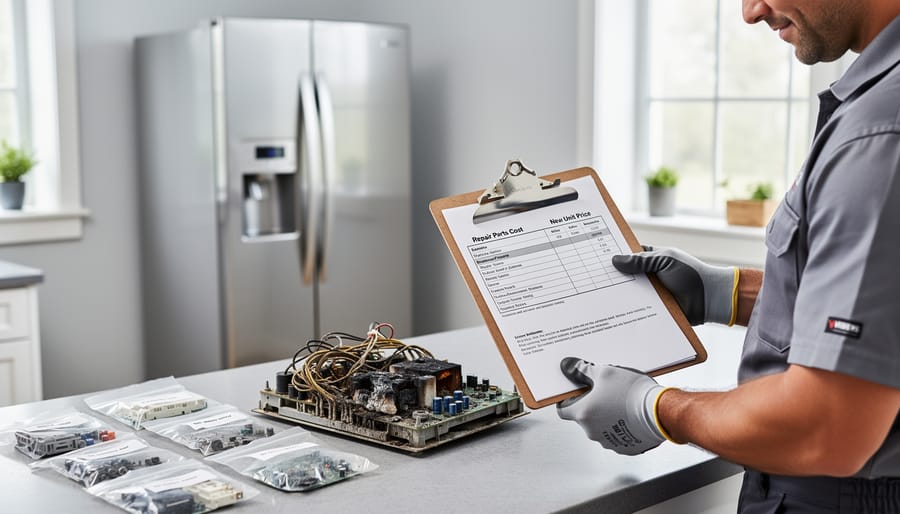
Sometimes a control board reaches the point of no return, and recognizing these signs can save you time and money on unsuccessful repairs. If your GE water softener display remains completely dark even after checking power connections and replacing fuses, the circuit board has likely suffered irreparable damage. Another telltale sign is when buttons respond intermittently or trigger wrong functions—for example, pressing the regenerate button starts a backwash cycle instead. You might also notice burnt smells, visible scorch marks on the circuit board, or melted plastic components around the control panel, which indicate electrical failure.
Erratic behavior like random regeneration cycles at incorrect times or settings that won’t save after programming also point to control board failure. When multiple functions fail simultaneously rather than just one button, this suggests widespread circuit damage. If you’ve already attempted basic troubleshooting like cleaning contacts and resetting the system without improvement, replacement becomes the most practical solution. Modern control boards are more energy-efficient and reliable, offering an opportunity to upgrade to models with enhanced water-saving features. While the upfront cost may seem significant, continuing with a failing board often leads to water waste and inadequate softening, ultimately costing more in the long run through higher utility bills and potential plumbing damage from hard water buildup.
Replacement Cost vs. New Unit Economics
When your GE water softener buttons fail, you face an important financial decision. Basic control panel repairs typically cost between $150-$300 for parts and professional labor, while complete electronic board replacements can run $250-$500. These figures might seem reasonable until you consider that a failing control panel often signals broader system wear, especially in units over 10 years old.
Modern water softeners have made significant efficiency advances. Newer models use up to 50% less salt and 30% less water during regeneration cycles compared to units from a decade ago. Over a 5-year period, these savings can amount to $300-$600 in reduced operating costs, effectively offsetting a portion of your investment. Today’s digital controls also feature diagnostic capabilities that prevent future button malfunctions and provide real-time system monitoring through smartphone apps.
Consider the age factor carefully. If your softener is under 5 years old and the issue is isolated to the control panel, repair makes financial sense. However, systems approaching or exceeding their 10-15 year expected lifespan warrant serious replacement consideration. Older units consume more resources and lack modern water-saving technology that benefits both your wallet and the environment.
Before investing in a new softener, obtain multiple repair quotes and compare them against current replacement options. Calculate your annual operating costs including salt, water usage, and electricity. Sometimes the most economical choice is also the most sustainable one.
Preventing Future Button Problems
Regular Maintenance Practices
Preventing button malfunctions starts with simple habits that protect your control panel from everyday wear. Wipe the display weekly with a slightly damp microfiber cloth to remove dust, salt residue, and moisture that can interfere with button responsiveness. Avoid using harsh cleaners or excessive water, which may seep behind the panel and damage internal circuits.
Keep the area around your softener well-ventilated and dry, as humidity accelerates corrosion on electronic components. Check button functionality monthly by cycling through each setting to ensure they respond promptly. This proactive approach helps you catch declining performance before buttons stop working entirely.
Regular water softener maintenance extends beyond the control panel. Inspect power connections quarterly and ensure the unit receives consistent electricity. If you notice buttons becoming sticky or unresponsive, address the issue immediately rather than forcing them, which can cause permanent damage. Taking these small preventive steps protects your investment while supporting eco-friendly water treatment by maximizing your system’s lifespan and reducing unnecessary replacements.
Environmental Factors to Consider
Your water softener’s environment plays a significant role in how well its control panel functions over time. High humidity levels near the unit can cause moisture to seep into electronic components, leading to corrosion and button malfunctions. This is especially common in damp basements or utility rooms without proper ventilation. Consider installing a dehumidifier if your space consistently feels moist.
Placement matters too. Avoid positioning your softener near heat sources like furnaces or water heaters, as temperature fluctuations can damage sensitive circuits. Direct sunlight through windows can also degrade plastic buttons and internal electronics.
Water quality itself impacts longevity. Hard water minerals can create residue buildup on the exterior panel if you handle buttons with wet hands, while extremely hard water may cause your system to work harder, generating more heat. Modern water treatment systems often include protective features against these environmental stressors, but older models require extra care to extend their functional lifespan and maintain reliable operation.
What This Means for Your Water Softener Buying Decision
Experiencing button malfunctions on your GE water softener offers valuable lessons when selecting a water softener for your home. Control panel durability should rank high on your priority list, as these interfaces are the primary way you’ll interact with your system over its 10-15 year lifespan.
When evaluating water softeners, consider models with physical mechanical dials rather than solely touch-sensitive controls. While touchscreens look modern, mechanical systems typically withstand moisture exposure, temperature fluctuations, and daily use more reliably. Many homeowners report fewer issues with brands that use hybrid designs—combining simple mechanical controls for essential functions with digital displays for monitoring.
Research manufacturer support networks before purchasing. Companies offering comprehensive warranties specifically covering electronic components demonstrate confidence in their control panel quality. Look for brands providing easily accessible replacement parts and clear documentation for troubleshooting. Some manufacturers have embraced eco-conscious design by making control panels modular and replaceable, reducing waste when repairs are needed rather than requiring entire system disposal.
Smart-enabled water softeners represent cutting-edge water innovations but introduce additional complexity. If you’re considering Wi-Fi-connected models, verify the manufacturer maintains active app support and offers manual override options. Technology evolves rapidly, and systems dependent on smartphone apps may lose functionality if companies discontinue software updates.
Seek models with sealed or water-resistant control panels, especially if your installation location experiences high humidity. This simple design feature prevents many common electrical issues caused by moisture infiltration. Read verified customer reviews focusing specifically on long-term reliability rather than initial impressions—problems with buttons and controls often emerge after months of use.
Finally, prioritize brands with responsive customer service and local authorized repair networks. Quick access to technical support transforms frustrating malfunctions into manageable situations. Your water softener should simplify household maintenance while supporting sustainable living, not create ongoing technical headaches that waste resources and your valuable time.
When your GE water softener buttons stop responding, you now have the knowledge and confidence to diagnose and address the problem systematically. From simple power resets to control panel replacements, most button issues are solvable with basic troubleshooting skills and minimal investment. Remember that regular maintenance, including keeping the control panel clean and protected from moisture, can prevent many of these problems before they start.
As you make hard water treatment decisions for your home, prioritize systems with durable, intuitive control panels designed for long-term reliability. Look for features like sealed buttons, responsive interfaces, and readily available replacement parts. A quality control panel isn’t just a convenience—it’s essential for maintaining consistent water softening performance and protecting your home’s plumbing and appliances from damaging mineral buildup.
By understanding how to troubleshoot and maintain your water softener’s controls, you’re taking an active role in sustainable home management. This empowers you to extend your equipment’s lifespan, reduce unnecessary replacements, and ensure your household continues enjoying the benefits of softened water for years to come.